


The following is a simple example demonstrating how to create an
output-pane
and then how to draw a circle on it.
(setq output-pane
(contain
(make-instance 'output-pane)
:best-width 300
:best-height 300))
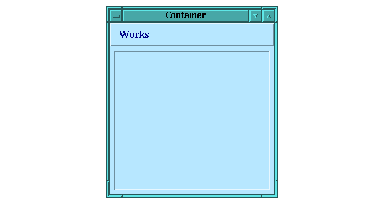
Figure 10.1 An empty output pane

Now you can draw a circle in the empty output pane by using the graphics ports function
draw-circle
.
(gp:draw-circle output-pane 100 100 50)
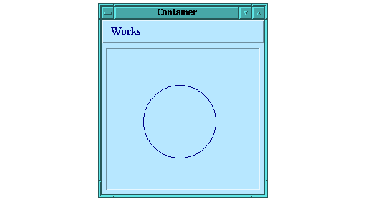
Figure 10.2 An output pane containing a circle
Notice that this circle is not permanently drawn on the
output-pane
, and when the window is next redisplayed it vanishes. To prove this to yourself, force the window to be redisplayed (for example by iconifying or resizing it). At this point, you can draw the circle again yourself but it will not happen automatically.
(gp:draw-circle output-pane 100 100 50)
In order to create a permanent display, you need to provide a function to the
output-pane
that is called to redraw sections of the output-pane when they are exposed. This function is called the
display-callback
. When the CAPI needs to redisplay a region of an
output-pane
, it calls that output pane's display-callback function, passing it the
output-pane
and the region in question.
For example, to create a pane that has a permanent circle drawn inside it, do the following:
(defun draw-a-circle (pane x y
width height)
(gp:draw-circle pane 100 100 50))
(contain
(make-instance
'output-pane
:display-callback 'draw-a-circle)
:best-width 300
:best-height 300)
Notice that the callback in this example ignores the region that needs redrawing and just redraws everything. This is possible because the CAPI clips the drawing to the region that needs redisplaying, and hence only the needed part of the drawing gets done. For maximum efficiency, it would be better to only draw the minimum area necessary.
The initargs
:best-width
and
:best-height
specify the initial width and height of the circle pinboard object. More detail can be found in the LispWorks
CAPI Reference Manual
.
Now that we can create output panes with our own display functions, we can create a new class of window by using
defclass
as follows.
(defclass circle-pane (output-pane)
()
(:default-initargs
:display-callback 'draw-a-circle))
(contain
(make-instance 'circle-pane))